
Stop copying setup snippets: browse 315 Claude Code plugins in the official directory and install the right one in 2 minutes
TL;DR
What it is:
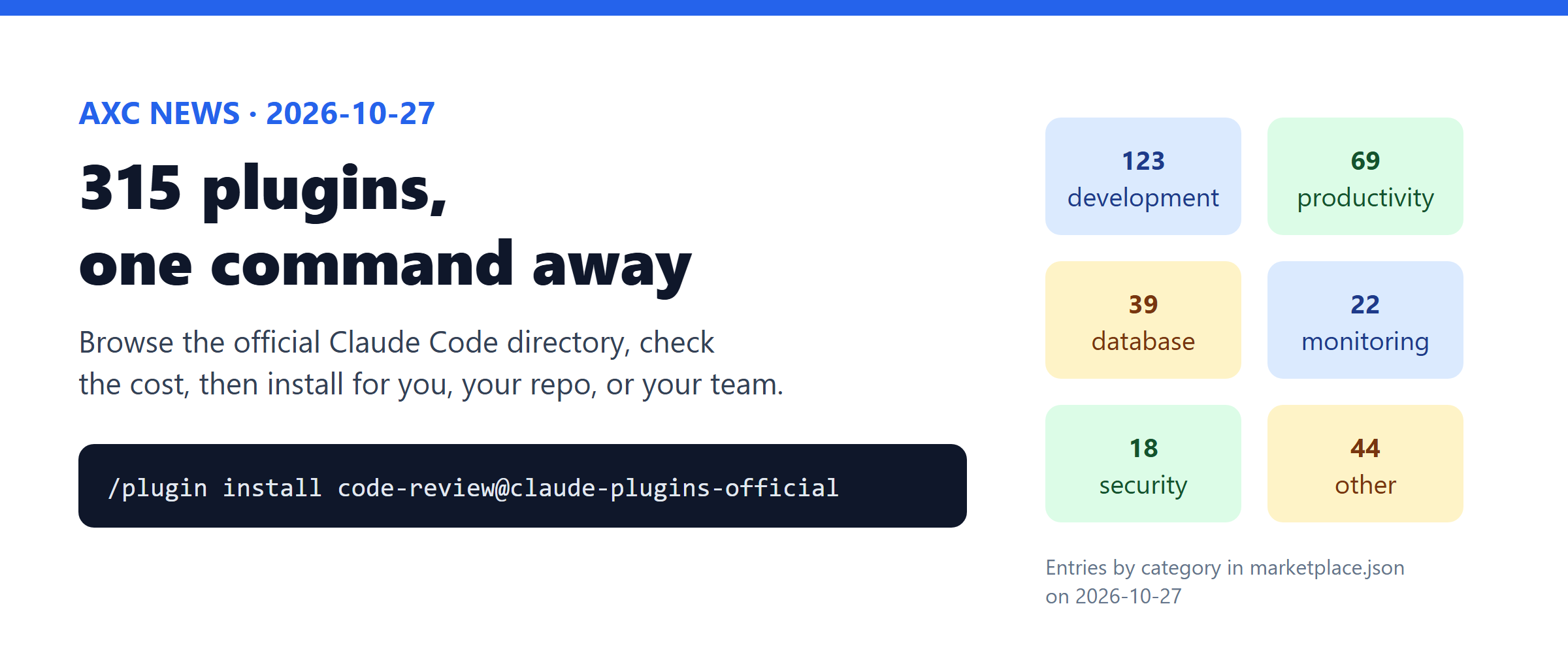
claude-plugins-officialis the catalog behind Claude Code's/pluginbrowser. It lists 315 plugins: 39 by Anthropic, 276 by partners and other authors.The key benefit: before you install a plugin, you can see what it adds and how many tokens it costs. Then you choose if it is for you, for this repo, or for the whole team.
Time to try: 5 minutes. You most likely have this marketplace already: Claude Code adds it the first time you open an interactive session.
8 plugins worth installing first
315 is a lot. Here are the best-known ones. The 5 Anthropic plugins are the core coding workflow plugins. The 3 partner plugins are ranked by GitHub stars of the MCP server they connect to (checked on 2026-10-27). The directory does not publish install counts.
Plugin | By | What it does | Install |
|---|---|---|---|
| Anthropic | Reviews a pull request with several agents and drops low-confidence findings |
|
| Anthropic | Slash commands to commit, push, and open a PR |
|
| Anthropic | A guided feature workflow: explore the code, design, build, review |
|
| Anthropic | Warns on risky code as Claude edits, then reviews the diff and each commit |
|
| Anthropic | Builds UI that does not look like a generic AI template |
|
| Upstash (63.8k stars) | Fetches up-to-date library docs, so Claude stops using old APIs |
|
| Microsoft (38.7k stars) | Drives a real browser: open pages, click, fill forms, take screenshots |
|
| GitHub (34.0k stars) | Issues, pull requests, and code search through GitHub's official MCP server |
|
Using TypeScript, Python, Go, Java, or C#? Also search lsp. Plugins such as typescript-lsp and pyright-lsp give Claude a real language server, so it can answer "where is this used?" without grep.
Try it in 5 minutes
Prerequisite: an up-to-date Claude Code (claude update).
In Claude Code, run
/plugin. The Discover tab lists every plugin. Typesecurityto filter it.Open a plugin by name to see its cost:
/plugin install security-guidance@claude-plugins-official. The pane shows Will install, Last updated, and Context cost (tokens on every turn, and tokens when it is used).For your first try, pick local scope (only you, only this repo). Then check it from your shell with
claude plugin details security-guidance.
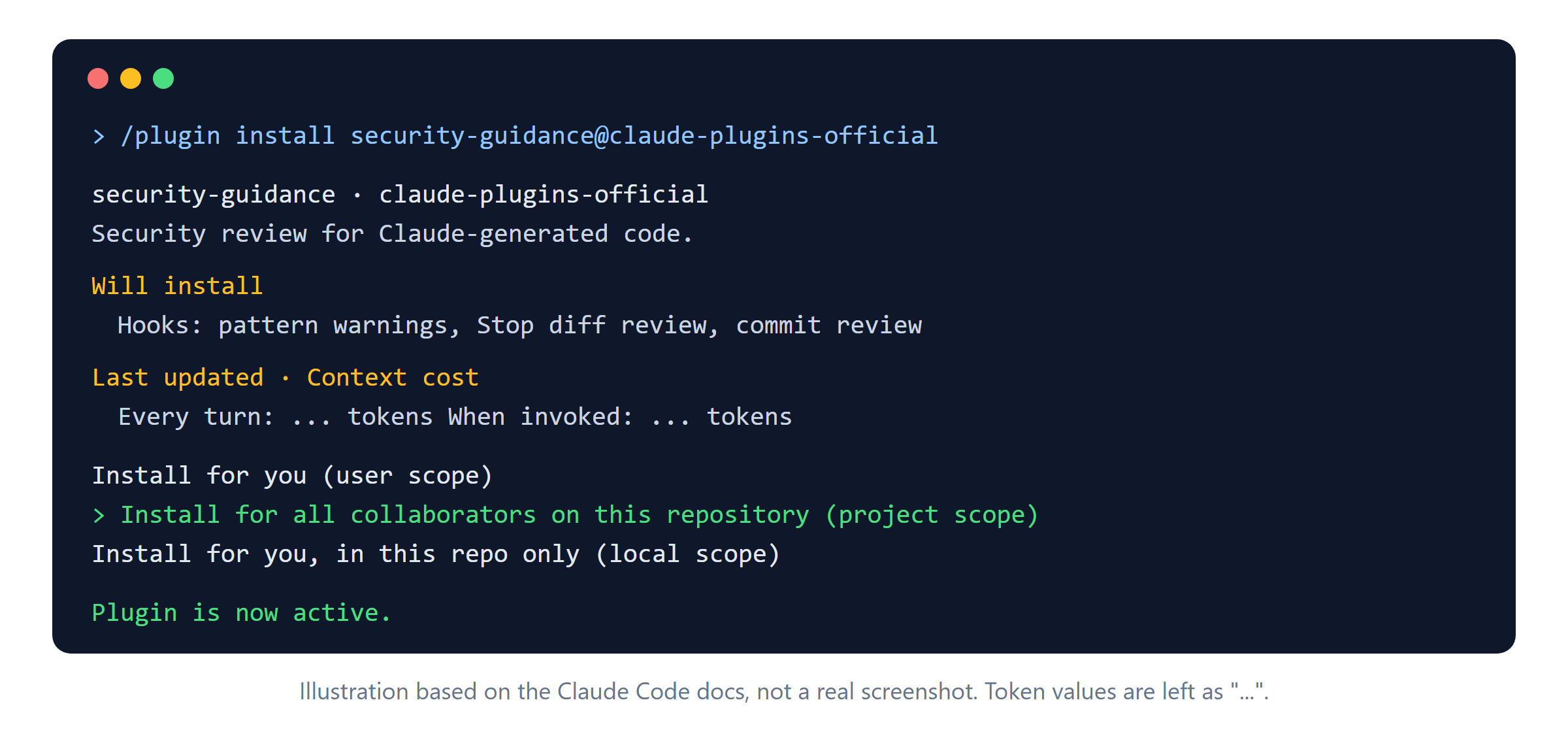
What you will see: ask Claude for a script that reads YAML with yaml.load. The plugin adds a warning, and Claude usually switches to yaml.safe_load.
Share it with your team
Choose project scope, and the plugin is saved in .claude/settings.json, which you commit. Each teammate still installs it once, so put the commands in a setup script:
claude plugin marketplace add anthropics/claude-plugins-official
claude plugin install code-review@claude-plugins-official
claude plugin install security-guidance@claude-plugins-official --scope project
Caveats
"Official" does not mean written by Anthropic. 276 entries come from other authors. Hooks and MCP servers run code on your machine, so read Will install first.
Some plugins send data out.
context7uses a hosted server.security-guidancesends diffs to a model endpoint. Check this against company policy before you use them in a client repo.Plugins cost tokens. Every enabled plugin adds context. Disable the ones you have not used recently.
Auto-update is on for this marketplace. You get fixes fast, but behavior can change without notice.
Sources
https://github.com/anthropics/claude-plugins-official (README,
marketplace.jsonentry counts, read 2026-10-27)https://github.com/anthropics/claude-plugins-official/tree/main/plugins/security-guidance
https://code.claude.com/docs/en/discover-plugins
https://code.claude.com/docs/en/plugins/anthropic-marketplaces
https://claude.com/marketplace/plugins
GitHub stars, read 2026-10-27: https://github.com/upstash/context7, https://github.com/microsoft/playwright-mcp, https://github.com/github/github-mcp-server